Ways to Give

Donate with Confidence

A secure, verification-based donation process. Your support helps deliver on-ground impact—education, animal welfare, tree plantation, and global worming.

Secure Portal
Payment Proof + Receipt
Transparent Records
Secure Payment Details
UPI / QR / Bank Transfer (recommended)
Verified
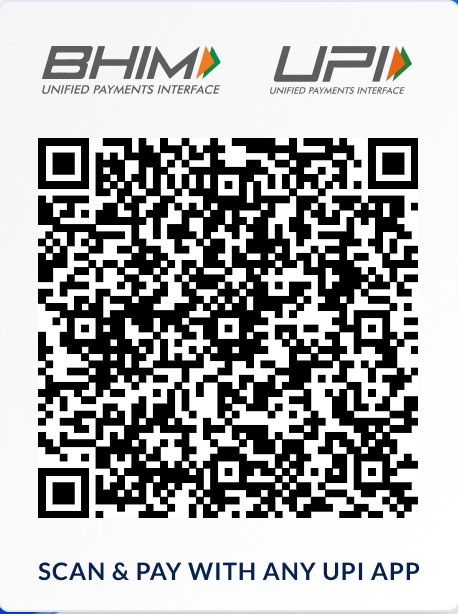
UPI QR
UPI ID
9687485327@hdfcbank
How it works
1) Pay via UPI/QR/Bank → 2) Fill donor details → 3) Upload screenshot/UTR → 4) Admin verifies

Official & Verified Donation Process
Payments are accepted only via UPI/QR/Bank Transfer. Receipt is issued with unique Donation ID & Transaction/UTR. Verification is done by admin before marking as completed.
Reg. NoGJ/2025/0607003
80GAATCM2751QF2025101
PANAATCM2751Q
Preview the official receipt format
Preview Receipt
Helpdesk: 9687485327
Donation Portal

Quick overview before you donate

Use UPI/QR/Bank transfer only. Submit UTR + screenshot for verification. Receipt is generated with a unique Donation ID.
Direct Support
Food support, education essentials, and urgent help for families in need.
Receipt & Documentation
Instant receipt with UTR/Transaction ID and verification status (80G as applicable).
Transparent Records
Clear records, admin verification, and trackable receipts for your peace of mind.
Select Contribution
Monthly is a pledge preference; payment is still verified per transaction.

Your Details
Payment Confirmation

Step 1: Pay via UPI/QR/Bank Transfer → Step 2: Enter Transaction/UTR → Step 3: Upload screenshot.

Only UPI / QR / Bank Transfer supported. Cash/Card disabled.
We use this to prevent duplicate entries and verify payment.
256-bit SSL Secure Transaction
Payment Details
Choose UPI/QR or Bank Transfer
Secure
UPI / QR
Instant
UPI QR Code
UPI ID
9687485327@hdfcbank
Download
Accepts GPay, PhonePe, Paytm, BHIM

Bank Transfer
Manual
Account Name
Motibha Foundation
Bank Name
HDFC BANK
Account Number
50100859439824
IFSC
HDFC0000782
Branch
PATAN
After transfer, enter UTR/Transaction ID and upload screenshot.
FAQs (Secure Donation)
Common questions to build trust
Help

After payment, you submit UTR/Transaction ID + screenshot. Admin verifies it and then marks donation as Completed.

Yes. A receipt is generated immediately with Donation ID & Transaction/UTR. Once verified, the status becomes verified/completed. You can preview the format here: Receipt Preview.

Only UPI / QR / Bank Transfer is supported. Cash/card is not supported on this portal.

Contact support via the Contact page or reach us at 9687485327.
Newsletter Subscription

Stay Informed & Connected

Subscribe to receive latest updates, impact stories, and ways to make a difference.

Your privacy is our priority. Unsubscribe anytime.